> For the complete documentation index, see [llms.txt](https://book.bigpump.ai/llms.txt). Markdown versions of documentation pages are available by appending `.md` to page URLs; this page is available as [Markdown](https://book.bigpump.ai/wallet-guide/how-to-connect-using-okx-wallet.md).

# How to connect using OKX Wallet

OKX is a leading cryptocurrency exchange founded in 2017, known for its comprehensive suite of trading services and innovative financial products. The platform supports a wide range of cryptocurrencies, offering over 400 trading pairs, making it accessible for both novice and experienced traders. OKX provides various trading options, including spot trading, futures, perpetual swaps, and options, catering to diverse trading strategies.

#### 1.Download OKX APP <http://okx.com/>

<figure><img src="/files/Jon9fWM7dIXkGupGNN4d" alt="" width="375"><figcaption></figcaption></figure>

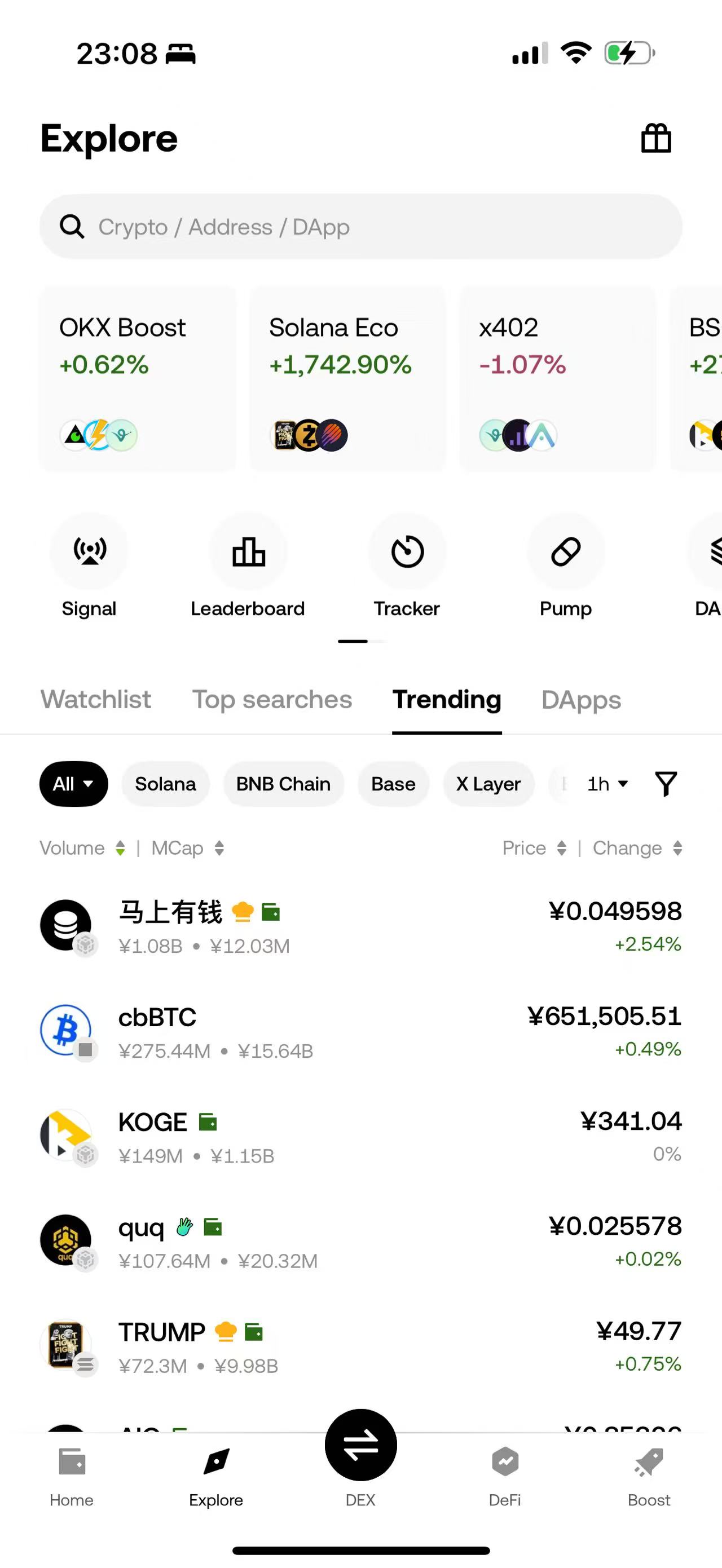
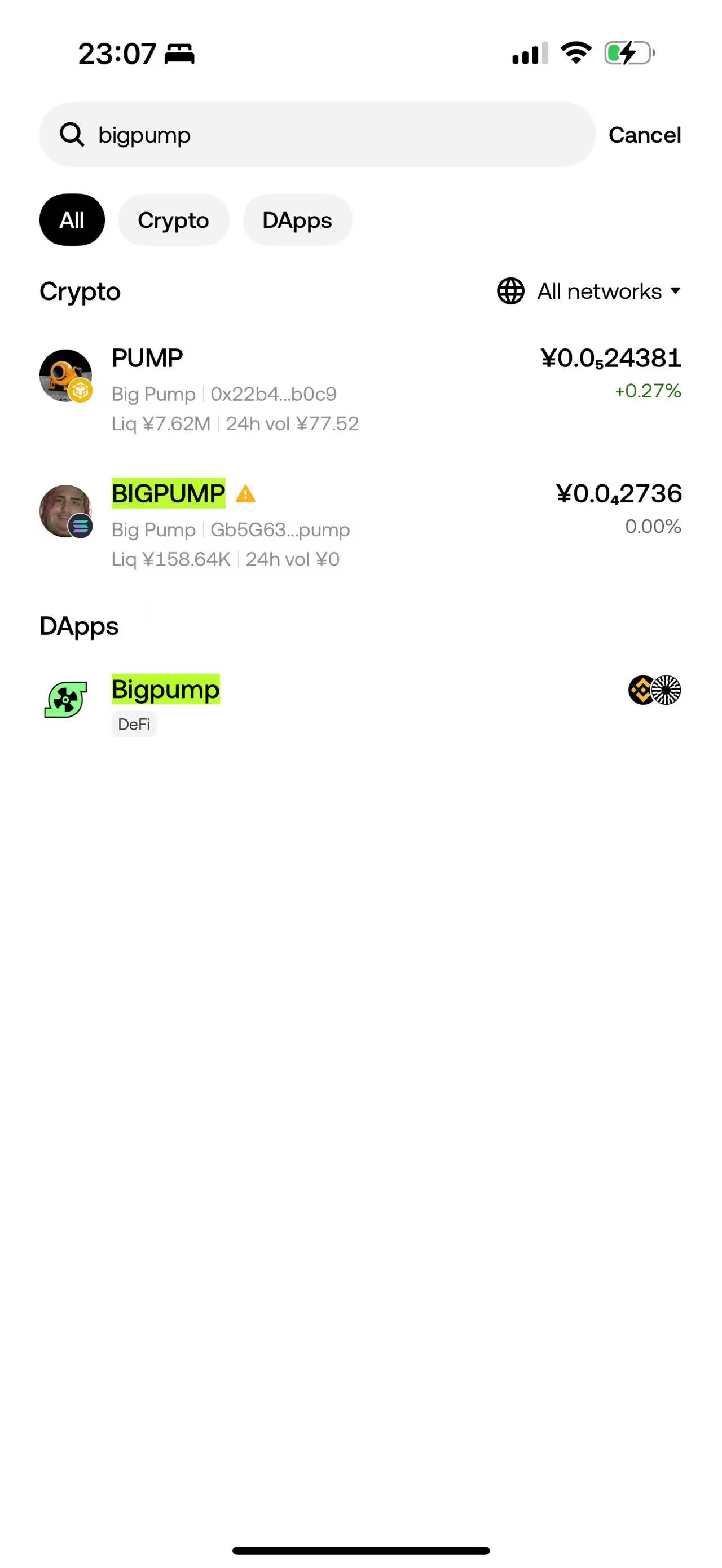
#### 2.Directly under OKX Web3 Wallet → Explore enter "bigpump" in the input box to search.

<figure><img src="/files/elK93QqPe5xjLcxdEEeo" alt="" width="375"><figcaption></figcaption></figure>

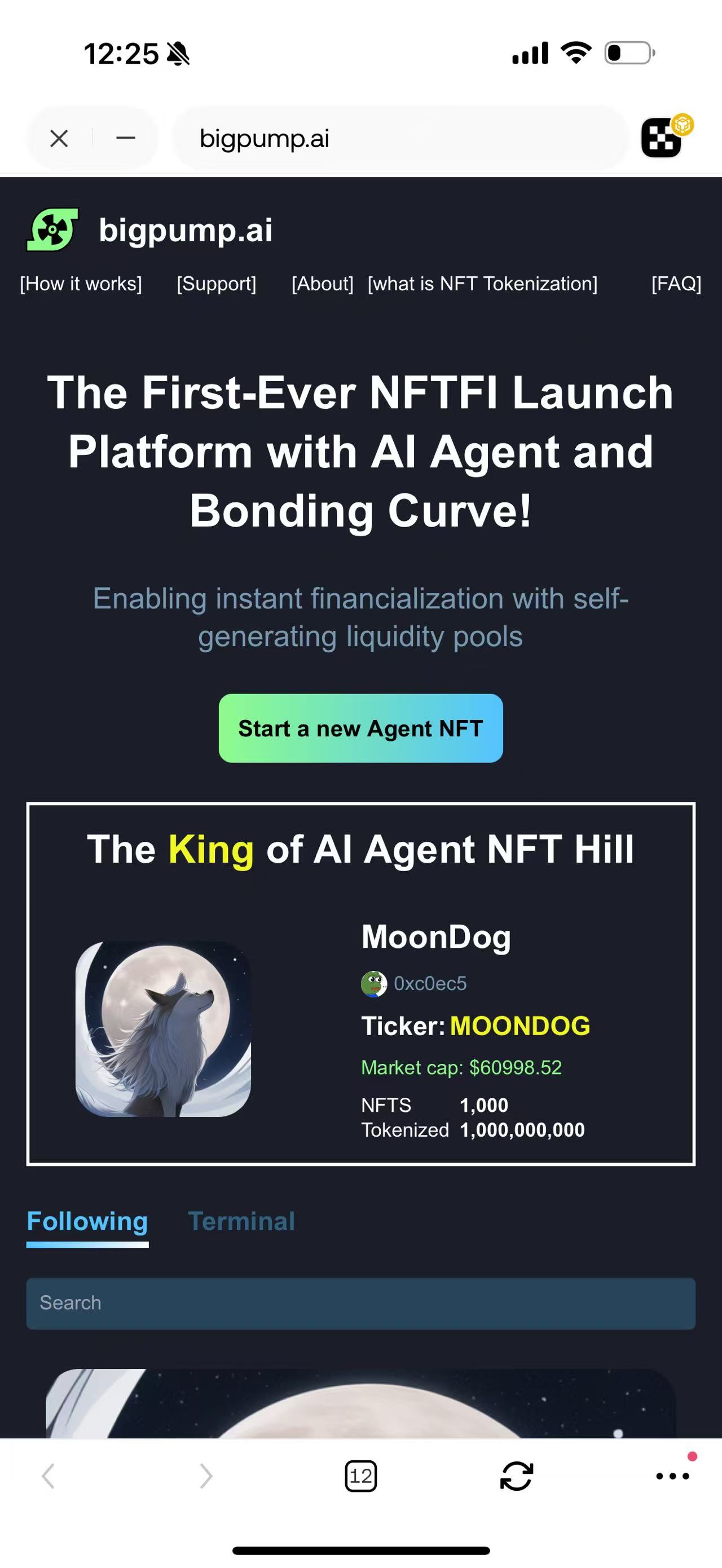
#### 3.Click on the BigPump logo to open BigPump website and start launching/trading your tokens!
<figure><img src="/files/DChYonfRwrpN7LnU6rmk" alt="" width="375"><figcaption></figcaption></figure>


---

# Agent Instructions
This documentation is published with GitBook. GitBook is the documentation platform designed so that both humans and AI agents can read, navigate, and reason over technical content effectively. Learn more at gitbook.com.

## Querying This Documentation
If you need additional information that is not directly available in this page, you can query the documentation dynamically by asking a question.

Perform an HTTP GET request on the current page URL with the `ask` query parameter:

```
GET https://book.bigpump.ai/wallet-guide/how-to-connect-using-okx-wallet.md?ask=<question>
```

The question should be specific, self-contained, and written in natural language.
The response will contain a direct answer to the question and relevant excerpts and sources from the documentation.

Use this mechanism when the answer is not explicitly present in the current page, you need clarification or additional context, or you want to retrieve related documentation sections.